How to obtain Mapa de recibos verdes
If you are applying for a mortgage as a sole proprietor, you need to get "Mapa de recibos verdes". Follow this guide
Log into Portal das Finanças using your Tax Identification Number (NIF)
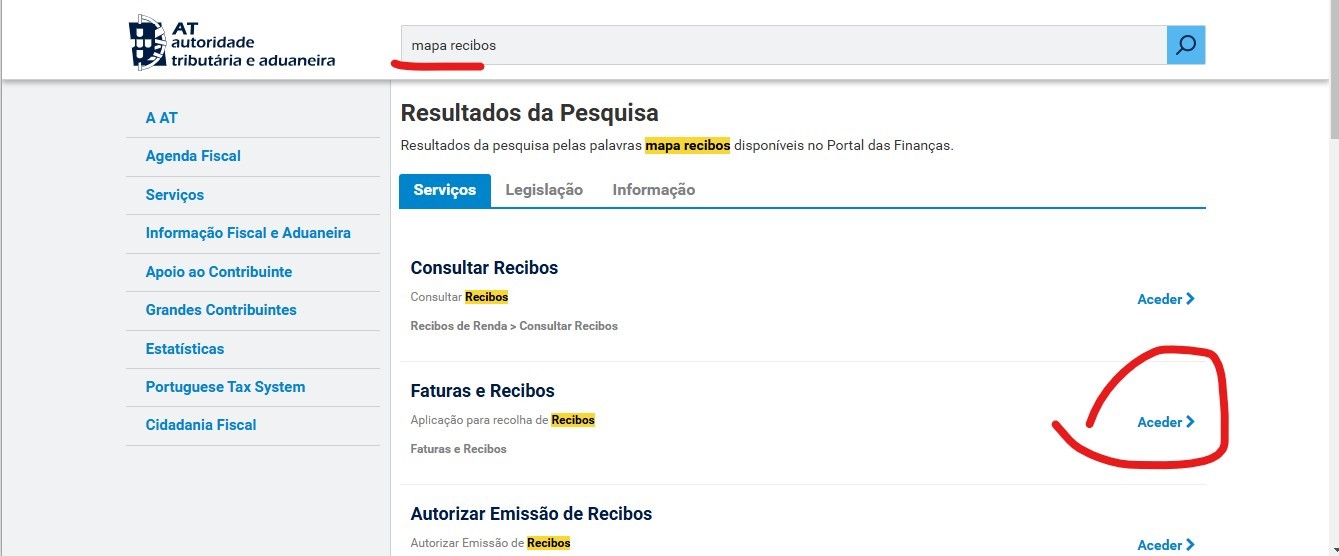
Search for "Mapa Recibos"
Select "Faturas e Recibos"
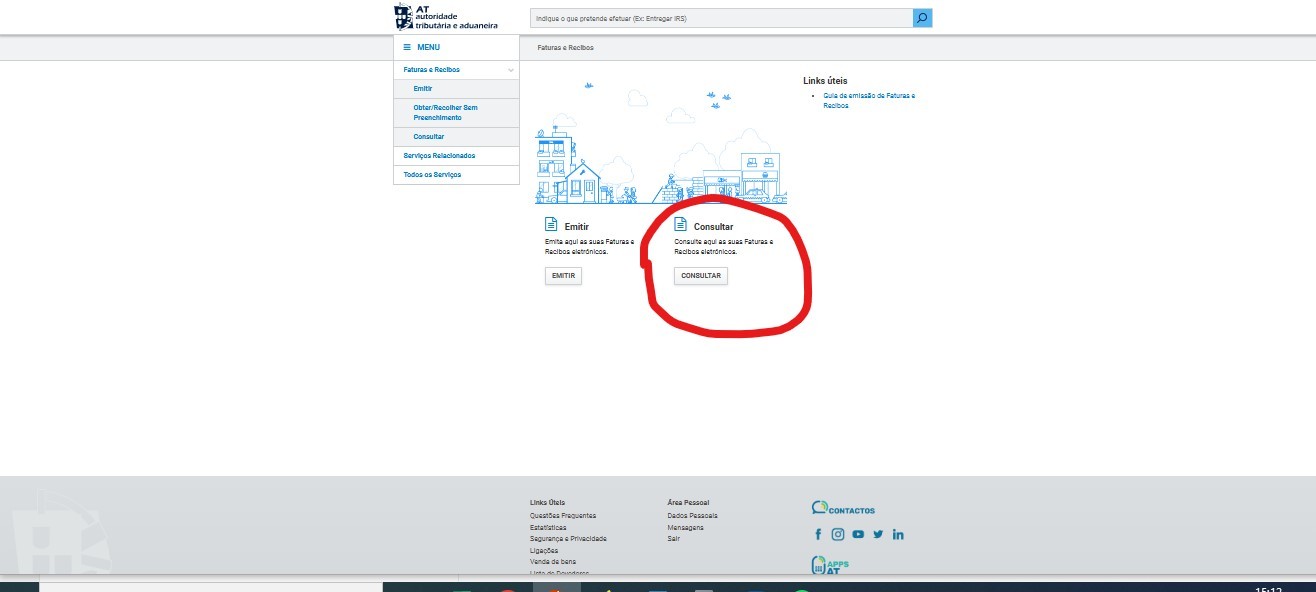
Select "Consultar"
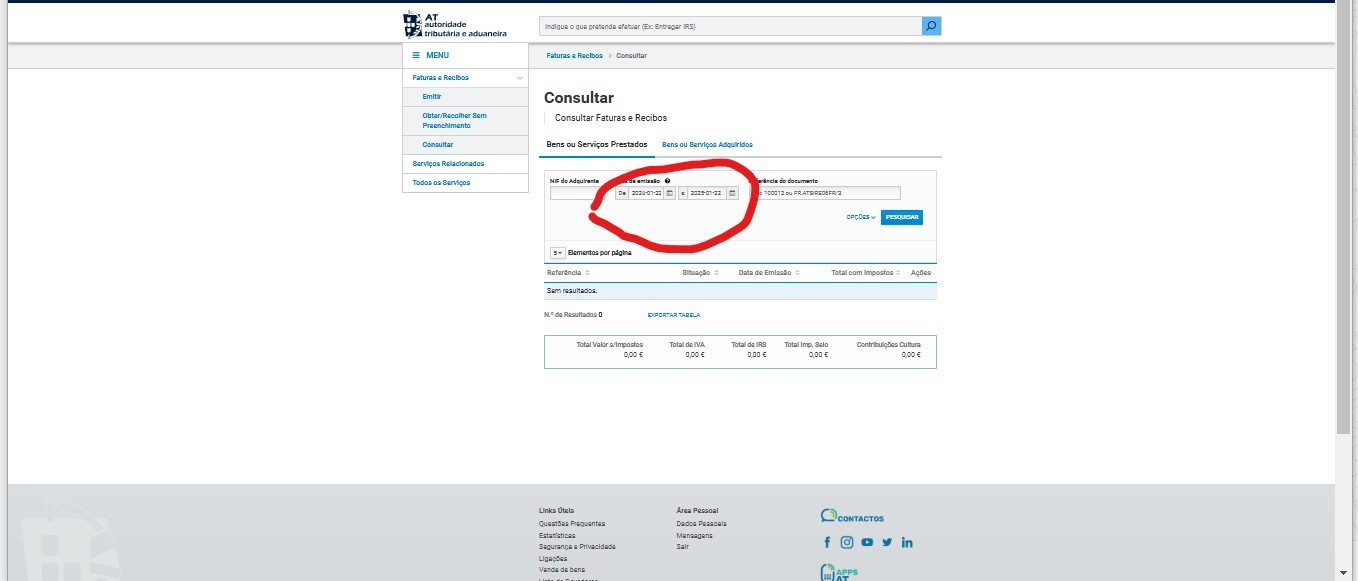
Select a period for the last 12 months in the filters
Capture a screenshot of the table and save it. Make sure your name and NIF at the top of the page are clearly visible
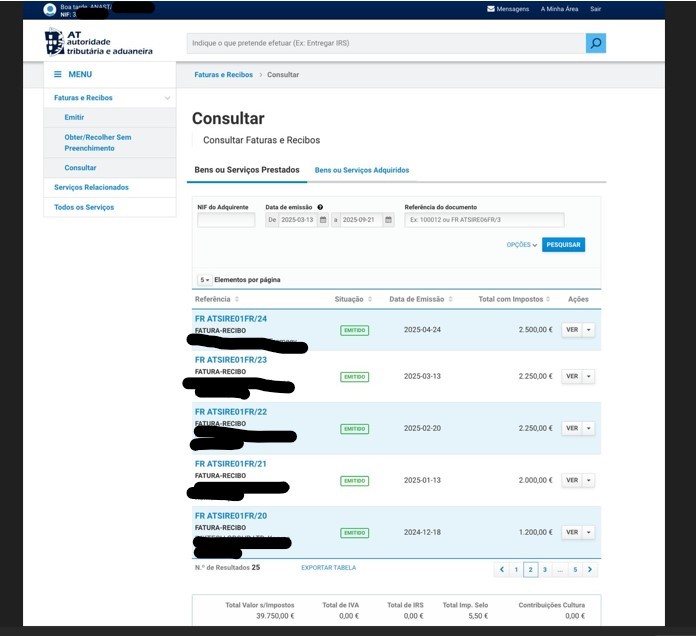
Capture another screenshot of the table, but this time, filter the page to show the full year 2025.
Upload all the screenshots to our form to proceed